


GB WhatsApp is an unofficial Android version of WhatsApp modified by third-party developers. It is not officially available on Google Play, it is installed from an APK file, and because it violates the WhatsApp Terms of Service it can get your account banned. Although it promises extra features, its security cannot be independently verified, so using it is not recommended.
In short:
- GB WhatsApp (GBWhatsApp) is a WhatsApp mod. Similar apps include WhatsApp Plus and FM WhatsApp.
- These apps are not developed, endorsed or supported by Meta or WhatsApp.
- According to the WhatsApp Help Center, using unofficial apps violates the Terms of Service, so your account may be restricted or banned.
- In 2023, Kaspersky found spyware in several modded versions, including GB WhatsApp. Turkey was among the top five countries with the most infection attempts.
- There is no legitimate GB WhatsApp version for iPhone.
- Most of its headline features, such as hiding your online status, turning off read receipts, chat lock and two accounts in one app, are now available in official WhatsApp.
- Chat transfer to the official app is not guaranteed when you switch, so always start with a backup.
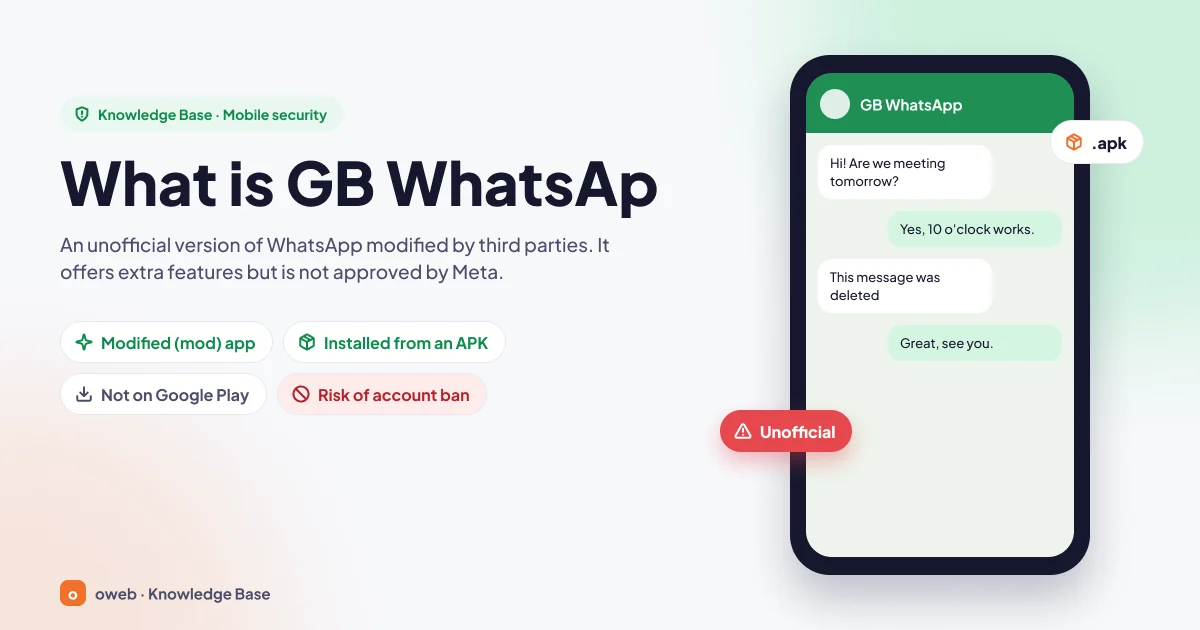
What is GB WhatsApp?
GB WhatsApp is a client built by modifying the code of the official WhatsApp app. It uses the same messaging infrastructure as the official app and adds settings that WhatsApp does not offer or that work differently. Users sign in with the same phone number and keep chatting with people who use official WhatsApp. Behind the scenes, however, an app that WhatsApp has not approved is running.
According to the WhatsApp Help Center, apps like this fall under unofficial apps: versions produced by third parties who modify WhatsApp. WhatsApp states that using these apps, or linking your account to them, violates its Terms of Service (About unofficial apps).
What do “mod” app and APK mean?
Mod is short for “modification”. When an app's original code is opened up, new features are added or existing ones are changed, and the result is repackaged, that version is called a mod. APK is the installation file format for Android apps. Every app you download from Google Play is in fact an APK package too. The difference is this: apps on Google Play are published from a registered developer account and go through Google's security checks and Play Protect scanning. That is not a full guarantee, but it means the package comes from a known source. With a GB WhatsApp APK downloaded from a website, the user has no way of verifying who built it or with what code.
WhatsApp Plus, FM WhatsApp and other look-alikes
GB WhatsApp is not the only example. Many mods such as WhatsApp Plus, FM WhatsApp and YO WhatsApp are distributed the same way. Their names, colors and menus differ, but they all belong to the same category: unofficial, modified WhatsApp clients. The risks and recommendations in this article apply to all of them.
Who develops GB WhatsApp?
The short answer: nobody knows for sure. GB WhatsApp has no single official developer, company or official website. Some mod developers are known online by aliases. However, most files circulating under the same name are repackaged by different people and spread across various websites and Telegram channels. As a result, there is no reliable way to tell whether a file offered as the “original GB WhatsApp” is actually clean. Official WhatsApp, by contrast, is developed by WhatsApp, a company owned by Meta. To learn more about Meta, see our article What does Meta mean?
Why do people use GB WhatsApp?
What draws users to mod apps is usually an understandable need:
- Privacy: Not showing others that you are online, that you have read their message or that you are typing.
- Personalization: Changing the look of the app with different themes, fonts and icons.
- Two accounts: Using a work number and a personal number on the same phone.
- Curiosity: Seeing deleted messages or viewing other people's statuses without them knowing.
- Convenience: Auto-replies, and sending larger files and longer statuses.
A few years ago, official WhatsApp genuinely did not meet some of these needs. Today the picture has changed and most of these features have been added to the official app. We go through them one by one in the “Similar features in official WhatsApp” section below.
What are the features of GB WhatsApp?
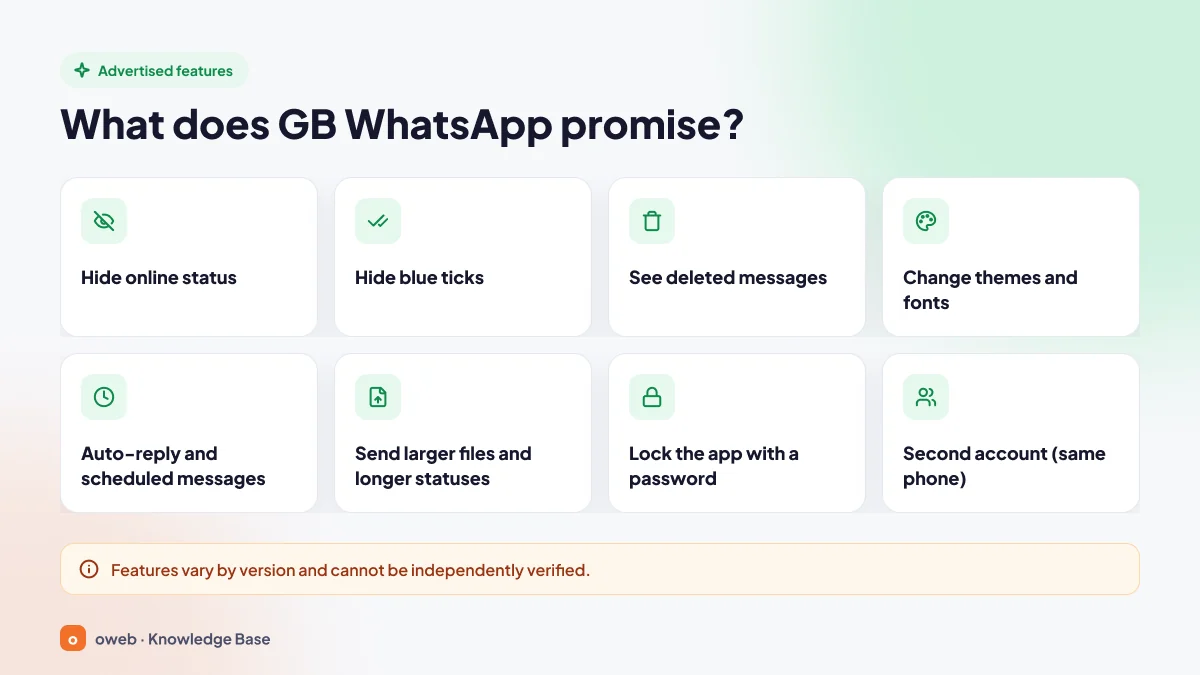
The list below consists of functions advertised as GB WhatsApp features on distribution sites. Features vary from version to version, and none of them has been audited by an independent organization. They should therefore be read as marketing claims.
Privacy-related features
Hiding online status and blue ticks
The mod's best-known promise is to hide the “online” label, blue ticks, and the “typing” and “recording audio” indicators. Official WhatsApp now offers its own settings for last seen, online status and read receipts. There is, however, no official setting that hides the typing and recording audio indicators.
Viewing deleted messages
Some versions promise to show messages the other person removed with “Delete for everyone”. This function ignores the sender's choice to delete and has no equivalent in the official app. It is also ethically questionable because it violates the other person's expectation of privacy.
Appearance and personalization
Ready-made theme stores, changeable fonts, chat bubble colors and app icons are among the mod's headline features. Another advertised feature is locking the app with a separate password.
Messaging and account features
Auto-reply and scheduled messages
It is claimed to offer automatic replies to specific contacts or to all incoming messages, plus a scheduler for sending a message at a later time.
Large files, long statuses and a second account
It also promises larger media files and longer status texts and videos. Promotional lists include the option of opening a second account on the same phone as well. Because the figures quoted vary and contradict each other from site to site, we do not state any limits here.
GB WhatsApp features vary by version and cannot be independently verified. What's more, most of these features now exist in official WhatsApp as well: hiding your online status, turning off read receipts, chat themes, sending documents up to 2 GB, app and chat lock, and two accounts in one app.
What is the difference between GB WhatsApp and official WhatsApp?
On screen, the two apps look very similar. The real difference lies in who the app comes from, how it is updated and how your data is protected.
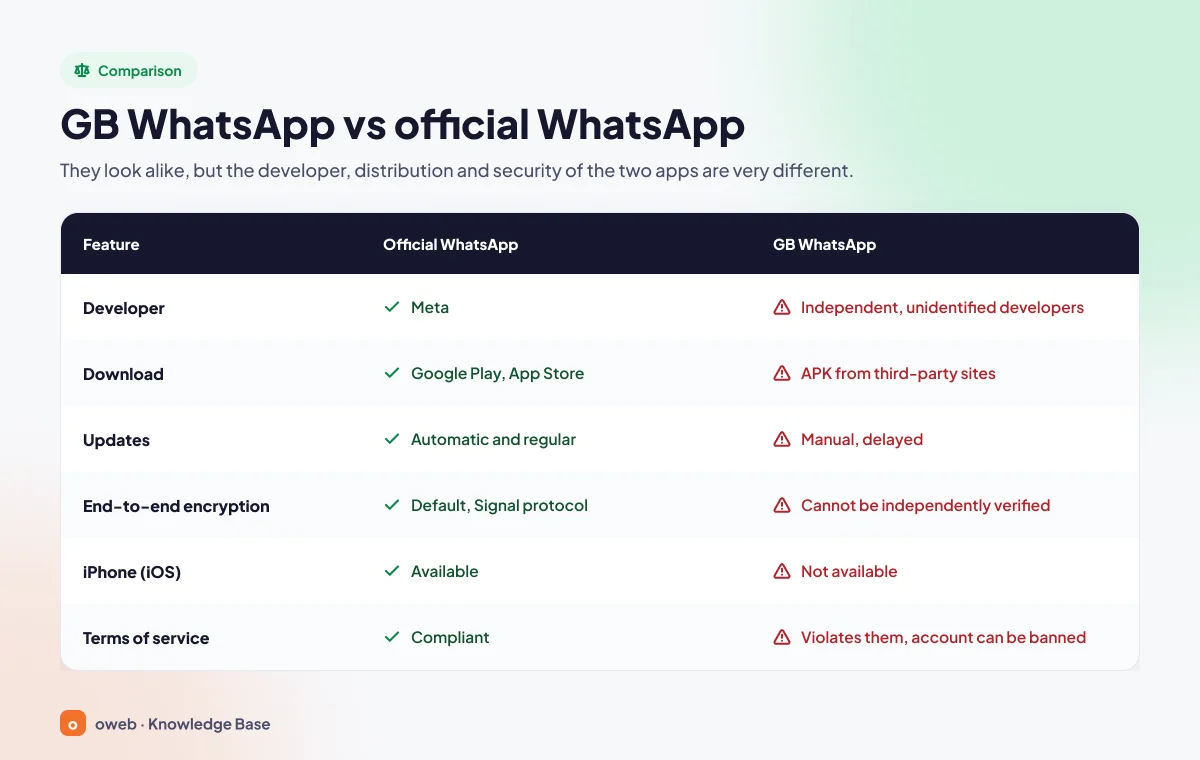
| Feature | Official WhatsApp | GB WhatsApp |
|---|---|---|
| Developer | WhatsApp (Meta) | Third-party, unofficial and often anonymous developers |
| Download source | Google Play, App Store or whatsapp.com | APK from third-party sites and channels |
| Updates | Automatic and regular | Manual, delayed and unreliable |
| End-to-end encryption | On by default for personal chats, Signal protocol | Cannot be independently verified |
| iPhone (iOS) | Available | Not available (anything offered as an iPhone version is a scam) |
| Terms of service | Compliant | In violation, account may be banned |
| Support | Official Help Center and in-app support | No official support |
Is GB WhatsApp safe?
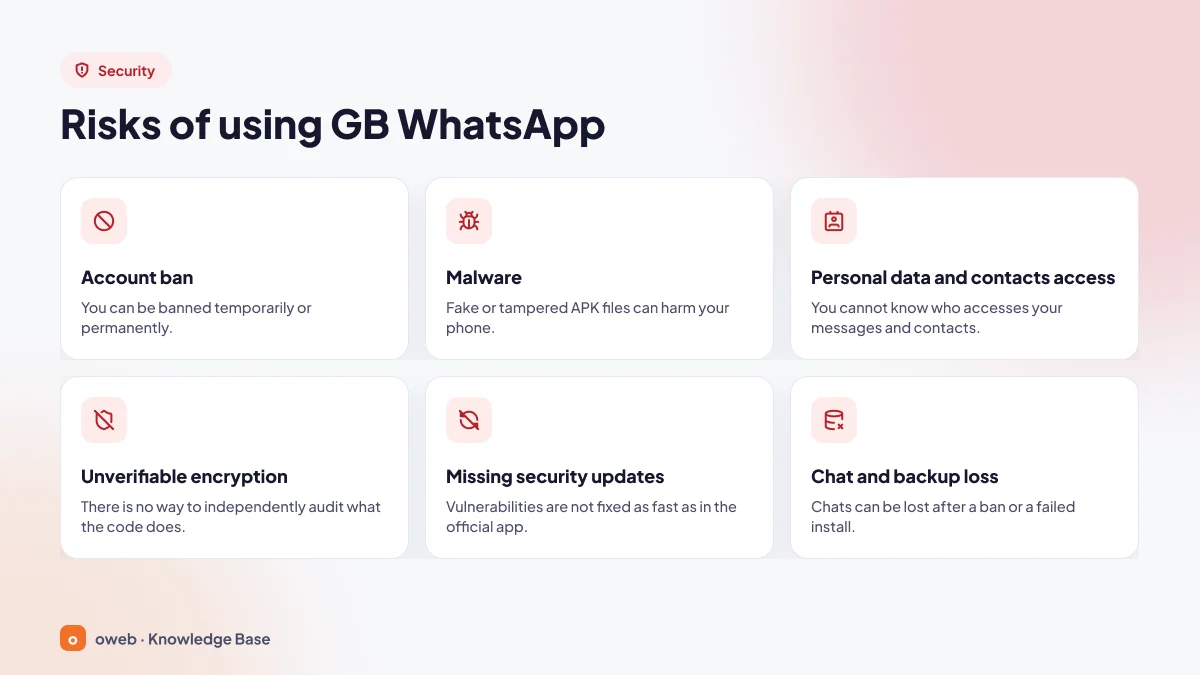
The short answer: no. GB WhatsApp cannot be considered safe. This is not because every file is necessarily infected. The problem is that there is no reliable way to know which one is clean. WhatsApp says it does not support third-party apps because it cannot verify their security practices. Its security page also states that fake versions of WhatsApp pose serious privacy and security risks to your account and data.
Account ban (GB WhatsApp ban) risk
WhatsApp states that it may restrict or ban accounts that use unofficial apps. This is not speculation. According to press reports, WhatsApp Plus users faced temporary bans in 2015, and a broad wave of bans targeting GB WhatsApp and WhatsApp Plus users was reported in 2019. The claims of versions marketed as “anti-ban” have not been verified by any independent source.
What does the “temporarily banned” warning mean?
A person using a mod app may see a temporarily banned warning when opening it, or a message saying they need to switch to official WhatsApp to log in. The length of the ban is shown in a countdown in the app; WhatsApp has not published an official duration.
Can the ban become permanent?
Yes. According to reports published since 2019, accounts that keep using the unofficial app after a temporary ban ends may be banned permanently. With a permanent ban, WhatsApp cannot be used with that number and your chat history is put at risk too.
Malware and spyware risk
The answer to “Does GB WhatsApp contain a virus?” depends on the file. However, research shows that mod files are a common carrier for attackers:
- CanesSpy (2023): Kaspersky found spyware in infected versions of GB WhatsApp, WhatsApp Plus and AZE PLUS. These versions were spread through Telegram channels and mod download sites. The spyware sent device information such as the phone number and IMEI, uploaded contacts and accounts to a server every five minutes, stole files from storage and could record audio through the microphone. In October 2023, more than 340,000 attacks were blocked in over 100 countries. The countries with the most infection attempts were, in order, Azerbaijan, Saudi Arabia, Yemen, Turkey and Egypt.
- Triada (2021): Kaspersky detected the Triada Trojan in a version of FM WhatsApp. This malware collected device data, downloaded other malicious software and could abuse SMS permissions to sign users up for paid subscriptions.
- Fake websites (2023): ESET revealed that dozens of websites impersonating WhatsApp and Telegram were distributing trojanized versions. Some of these versions swapped crypto wallet addresses in chats, while others searched screenshots for wallet recovery phrases.
By its nature, a messaging app asks for broad permissions such as contacts, storage, microphone, camera and notifications. Granting these permissions to a modified app means handing over the keys to your phone without knowing who uses them, or how.
Privacy and end-to-end encryption
Official WhatsApp protects personal messages, calls and statuses with end-to-end encryption by default, using the Signal protocol. The rollout of this infrastructure was completed in April 2016. With GB WhatsApp, no one can independently verify whether the encryption code has been changed or whether messages or keys are being copied elsewhere. In an app whose code is closed and whose source is unknown, saying “the encryption is the same” is merely a claim.
Delayed or missing security updates
The official app updates automatically through the app store as security vulnerabilities are fixed. Mod versions are updated manually, trailing the official release with a delay. Every update means downloading a new APK from a new website. So vulnerabilities stay unpatched for longer, and every update brings a fresh chance of landing on a malicious file.
Chat and backup loss
If your account is banned or the app breaks, it is not always possible to move your chats to the official app. According to WhatsApp, only chat history created in the official app is supported. If the backup was made in an unofficial app, WhatsApp does not guarantee that the transfer will work.
Extra risk for businesses: customer data
For businesses that message customers on WhatsApp, the issue is not just losing the account. Keeping customer names, phone numbers and conversations in an app whose security cannot be verified also creates a serious compliance risk with respect to obligations under Turkey's Personal Data Protection Law No. 6698 (KVKK) and similar data protection laws. This section is for general information only and does not replace legal advice. For business use, the official WhatsApp Business app should be preferred.
Summary of GB WhatsApp risks:
| Risk | Possible outcome | Source |
|---|---|---|
| Account ban | Temporary; may become permanent if use continues | WhatsApp Help Center; 2019-2021 press reports |
| Malware | Leaks of contacts, files and audio recordings; paid subscriptions | Kaspersky (2021, 2023), ESET (2023) |
| Unverifiable encryption | Message privacy cannot be assured | WhatsApp security page |
| Missing updates | Known vulnerabilities stay unpatched longer | Unofficial distribution model |
| Backup loss | Chat history may not transfer | WhatsApp Help Center |
Is GB WhatsApp legal or banned?
The question “Is GB WhatsApp banned?” needs to be looked at on two separate levels. The first is WhatsApp's own rules. The WhatsApp Terms of Service prohibit accessing the service through unauthorized means, and copying, modifying, creating derivative works of or reverse engineering the service. Mod clients fall squarely within this scope. In other words, GB WhatsApp is clearly prohibited under WhatsApp's rules, and the penalty is an account ban.
The second is state law. We are not aware of any regulation showing that an individual user installing a mod app is, in itself, a criminal offense in Turkey. Generalizations circulating online such as “illegal in most countries” are not backed by sources either. Still, issues such as personal data responsibility and copyright may come into play for businesses. If you need a legal assessment, it is best to consult a professional.
Is there GB WhatsApp for iPhone?
No. GB WhatsApp is distributed only for Android as an APK file. iOS cannot install APK files, and there is no legitimate GB WhatsApp iPhone version. Although WhatsApp has not made a specific statement on this, the distribution model makes it clear. Sites and profiles offering “GB WhatsApp for iPhone” should be treated as scams. They may push you to install a fake profile, start a paid subscription or enter your Apple ID details. iPhone users should download WhatsApp only from the official WhatsApp page on the App Store.
My GB WhatsApp account was banned: what should I do?
If you received a “temporarily banned” warning, don't panic and follow these steps in order:
- Stop using the app for messaging. Trying to log in with the same mod during or after the ban increases the risk of a permanent ban.
- Wait for the countdown to finish. Until it ends, you may not be able to verify your number in the official app either.
- Back up your chats. Once the countdown is over, open the app only to make a backup, create a local backup and copy it to a computer.
- Switch to official WhatsApp. Follow the migration steps below.
- If you believe the ban is a mistake, use the support options in the official app or contact the WhatsApp Help Center.
A permanent ban will not be resolved by waiting. In that case, the only option is to contact WhatsApp through its official support channel.
Switching from GB WhatsApp to official WhatsApp
The recommended way of switching from GB WhatsApp to official WhatsApp is as follows: first uninstall the unofficial app, then download official WhatsApp or WhatsApp Business from the official app store or the official website and register your number again. If you want to keep your chats, making a backup before uninstalling is essential.
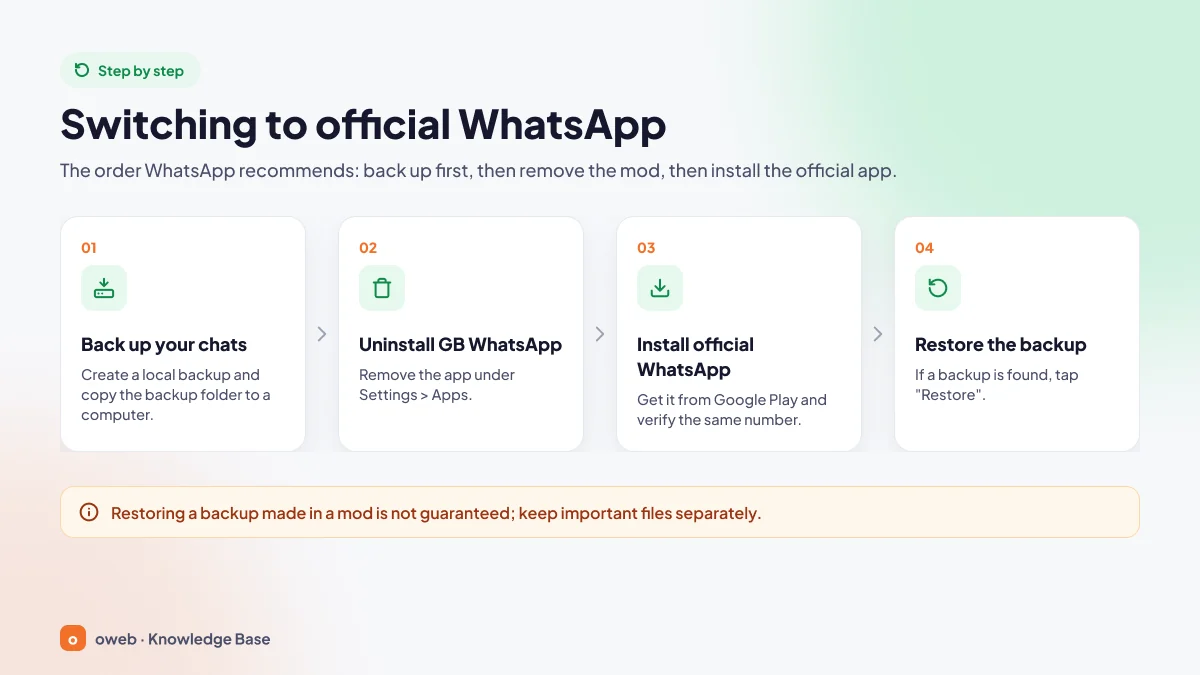
Step-by-step migration
- Make a local backup: In GB WhatsApp, go to Chats > Chat backup in the menu and back up. Menu names may vary by version. If your account is banned, wait for the ban period to end first.
- Copy the backup: The backup file is in the app's folder in phone storage. On some Android versions uninstalling the app may also delete this folder, so copy the folder to your computer or cloud storage before uninstalling.
- Uninstall GB WhatsApp: Remove the app from Settings > Apps.
- Install official WhatsApp: Download the app only from the official WhatsApp page on Google Play or from whatsapp.com.
- Verify the same number: Enter the verification code you receive by SMS or call.
- Restore the backup: If the app finds a backup, tap “Restore” and wait until the process is complete.
Can a GB WhatsApp chat backup be restored in the official app?
In some cases it can, but this is not guaranteed. Mod apps may store backups in their own folders and formats; if the official app does not recognize the file, the restore option may not appear at all. WhatsApp does not guarantee that a backup made in an unofficial app will transfer. It is therefore wise to copy important photos, documents and voice messages to a computer or the cloud separately.
Turn on Google Drive backup after switching
Once you have moved to the official app, turn on automatic backup to your Google Account on Android under Settings > Chats > Chat backup. Official backup saves to both Google Drive and the device's own storage. To restore, you need the phone number that created the backup and the same Google Account. If you want your backups to be end-to-end encrypted as well, enable end-to-end encrypted backup in the same section. Unless this option is turned on, backups are not end-to-end encrypted.
WhatsApp does not guarantee that transferring chats from an unofficial app to the official app will succeed. Before you start switching, keep a copy of the backup somewhere other than your phone.
Similar features in official WhatsApp
Most of the needs that lead users to mod apps are now met by official WhatsApp. And these features come with regular updates, without putting your account at risk.
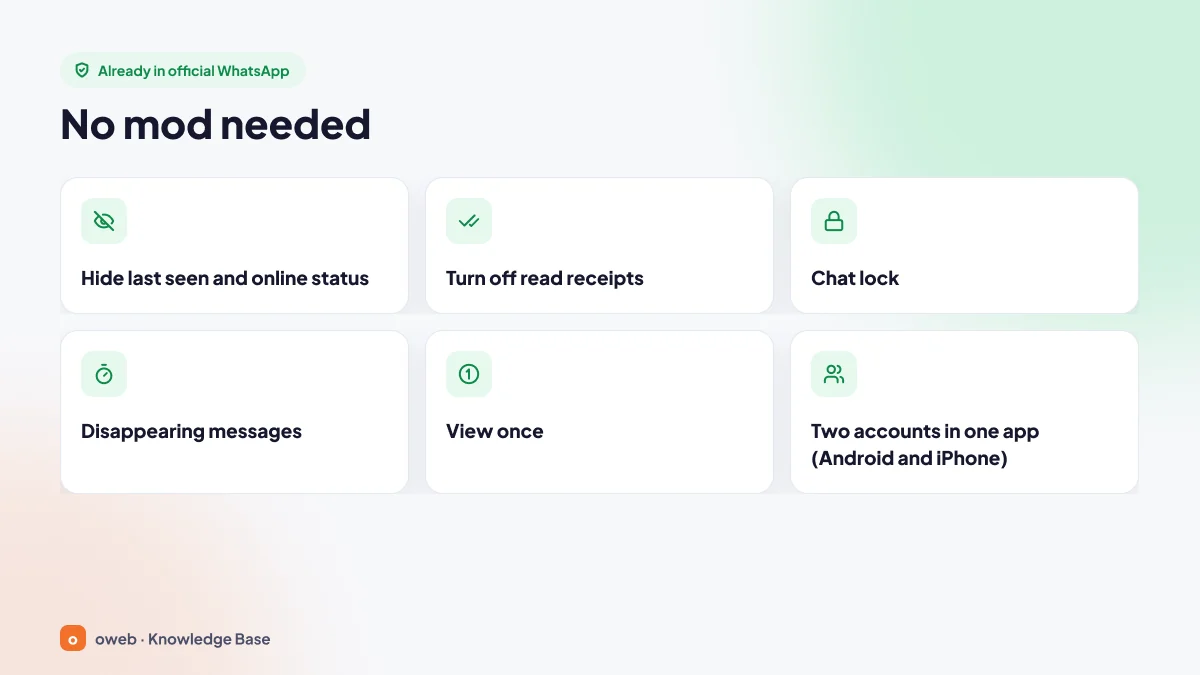
| Need | Official WhatsApp equivalent | Where to find it / notes |
|---|---|---|
| Hiding online status | Last seen and online | Settings > Privacy > Last seen and online. You can choose who sees your last seen (Everyone, My contacts, My contacts except..., or Nobody) and who sees when you are online. If you hide your last seen, you cannot see other people's either. |
| Hiding blue ticks | Read receipts | Settings > Privacy > Read receipts. If you turn them off, you cannot see other people's read receipts either. Read receipts are always sent in group chats. |
| Locking the app with a password | App lock, chat lock and secret code | App lock (Android: Settings > Privacy > App lock; iPhone: Screen lock) locks the entire app with biometric authentication. Chat lock and secret code move individual chats into a separate folder that opens with your device passcode or biometrics; the secret code can hide this folder. |
| Messages that leave no trace | Disappearing messages | Turned on per chat or under Settings > Privacy > Default message timer. The timer can be 24 hours, 7 days or 90 days. |
| Media that can't be saved | View once | Used for photos, videos and voice messages. This content is not saved to the gallery, and screenshots and screen recording are blocked. Someone could still photograph the screen with another device. |
| Two accounts | Two accounts in one app | Available on Android since October 2023 and on iPhone since March 2026. Enabled via the add account option in Settings; a second number (SIM or eSIM) is required. |
| Changing the theme | Chat themes and wallpapers | Found under Settings > Chats. Background and bubble colors can be changed. |
| Sending large files | Documents up to 2 GB | Since 2022, documents up to 2 GB can be sent. |
| Auto-reply | WhatsApp Business | Automatic replies can be sent with greeting and away messages. |
| Reviewing privacy settings in one place | Privacy checkup | Settings > Privacy. The option to silence unknown callers is also found in the privacy settings. |
Details of multi-account support can be found in Meta's Android announcement and iOS update. For chat lock and secret code, see the announcement on the WhatsApp blog. If you want to use WhatsApp on a computer, you don't need a mod app or any extra tool. We explain the official linked devices feature in our WhatsApp Web guide.
Turning off read receipts works in one-to-one chats; in groups, read receipts are still sent. If you set last seen to “Nobody” and online to “Same as last seen”, your online status is hidden too. The “typing...” indicator cannot be turned off in the official app.
Tips to protect your phone
If you have used GB WhatsApp or installed an unknown APK, uninstalling the app alone may not be enough. The steps below will help you secure your device and your account.
Scan with Google Play Protect
Google Play Protect scans your device for potentially harmful software, including apps installed from outside the store. When needed, it warns you, asks you to send unknown apps for review and can disable or remove harmful apps. You can start a manual scan via Google Play > Profile > Play Protect. If Play Protect shows a “This app is fake” warning, then according to WhatsApp you are most likely using an unofficial version of WhatsApp. Google may disable and remove such apps for security reasons.
Turn off installing from unknown sources
If you have given a browser or file manager permission to “install unknown apps” on Android, revoke it under Settings > Apps > Special app access. Menu names may differ slightly by manufacturer. In addition, according to Google's announcement, the requirement for registered, verified developers took effect on 30 September 2026 in Brazil, Indonesia, Singapore and Thailand. The rule also covers APKs installed from outside the store and is planned to expand globally in 2027. Turkey is not part of the first phase, but installing APKs from unverified developers may become harder in the future.
Strengthen your account
- Turn on two-step verification (Settings > Account > Two-step verification).
- Check your linked devices list and log out of any sessions you don't recognize.
- If you shared sensitive information while using the mod, change the passwords of your important accounts (email, banking).
- After uninstalling the app, review the apps with contacts, storage, microphone and SMS permissions under Settings > Security and privacy > Privacy > Permission manager (menu names may vary by Android version and phone manufacturer). Remove any app you don't recognize.
Install WhatsApp only from Google Play, the App Store or whatsapp.com. Links promising “WhatsApp Pink”, “WhatsApp Gold” or a “new hidden feature” are a common trap used for account takeover and malware distribution.
Frequently asked questions
What is GB WhatsApp used for?
GB WhatsApp is a modified client that adds new theme, privacy and messaging settings on top of official WhatsApp. Most of these features are now available in the official app too. On top of that, GB WhatsApp carries account ban and security risks.
Will my account be closed if I use GB WhatsApp?
It may be. WhatsApp states that it may restrict or ban accounts that use unofficial apps. A temporary ban is usually applied first. If you keep using the app, the ban may become permanent.
Can a GB WhatsApp ban be lifted?
Third-party tools that claim to remove the ban do not work. With a temporary ban, you need to switch to official WhatsApp once the period is over. If you think your account was banned by mistake, you can use the “Request a review” option in the app. WhatsApp has not published an official duration; the length of a temporary ban is shown in the countdown in the app. Do not keep using the mod app during this time, and switch to official WhatsApp when the countdown ends. If you believe the ban is a mistake, you can appeal through the official support channels.
Do “anti-ban” GB WhatsApp versions work?
The claim that they cannot be banned has not been verified by any independent source, and WhatsApp clearly states that it may ban accounts using unofficial apps. So no such guarantee can be given.
What does the Play Protect “This app is fake” warning mean?
According to WhatsApp, this warning most likely means you are using an unofficial version of WhatsApp. For details, see the “Scan with Google Play Protect” section above.
Will GB WhatsApp steal my phone data?
The same cannot be said of every file. However, the CanesSpy spyware that Kaspersky discovered in 2023 stole contacts, device identifiers and files through infected mod versions and could record audio with the microphone. With a file whose source cannot be verified, this risk cannot be ruled out.
Are WhatsApp Plus and FM WhatsApp safe?
No. They fall into the same category. WhatsApp says unofficial apps such as GB WhatsApp and WhatsApp Plus violate its Terms of Service. The Triada Trojan was also found in a version of FM WhatsApp.
Why isn't GB WhatsApp on Google Play?
Because the app modifies WhatsApp's code without permission and violates the Terms of Service, it is not listed in official app stores. Apps with similar names that occasionally appear in the store may be imitations or fake apps.
Can GB WhatsApp run on a computer?
For WhatsApp on a computer, the official WhatsApp Web or desktop app is all you need. Running a mod APK in an emulator does not remove the account ban and security risks. We explain what emulators are generally used for in our Android emulator article.
This article is for informational purposes only and does not recommend downloading or installing any unofficial app. The information is based on the WhatsApp Help Center, Meta announcements, the Google Play Help Center and research by Kaspersky and ESET. Last reviewed: 3 November 2026.
